A free alternative to Fully Kiosk for hosting your dashboards on Android devices. Voice enable it for an even smarter smart home.
Dashie provides easy hosting of Home Assistant dashboards on Android devices. Get your smart home dashboard up and running in minutes with a clean, purpose-built kiosk experience. Add voice activation and say "Hey Dashie" to control your devices.
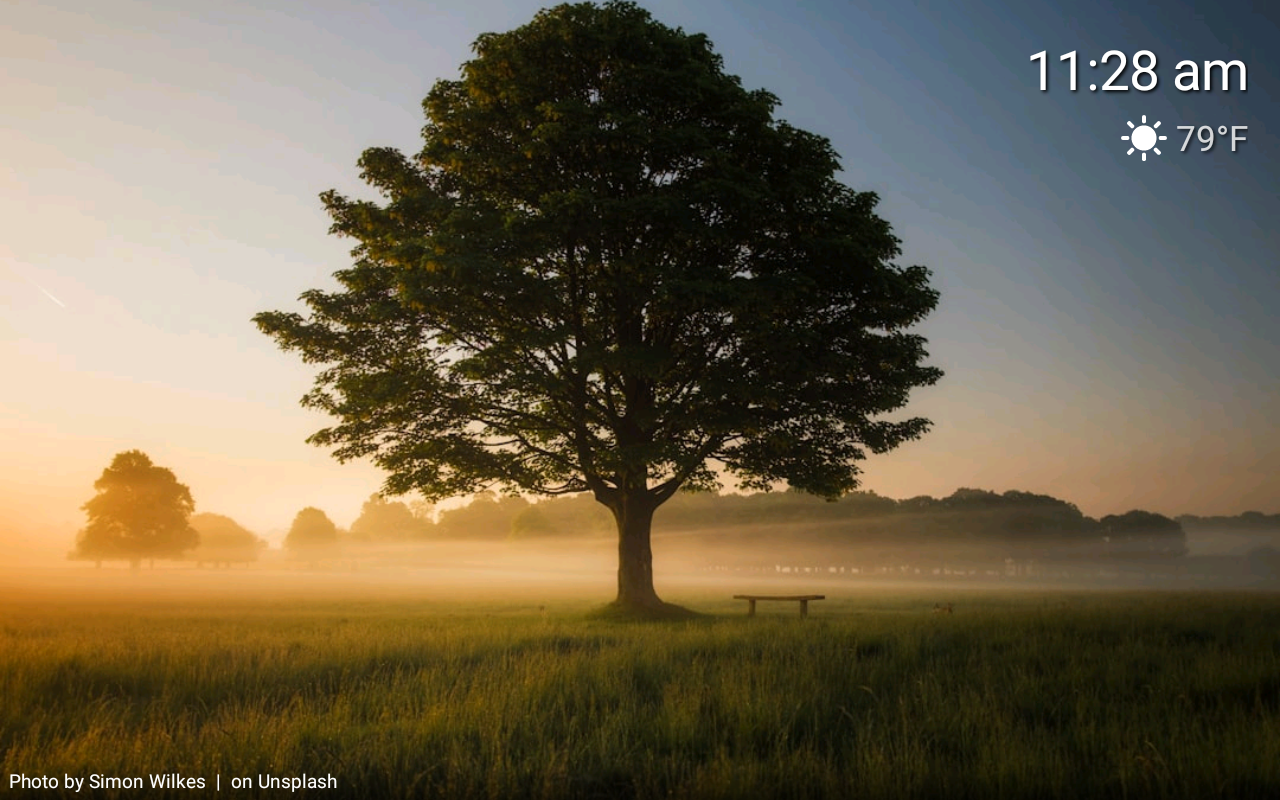
Photo slideshows from multiple sources with motion-activated wake
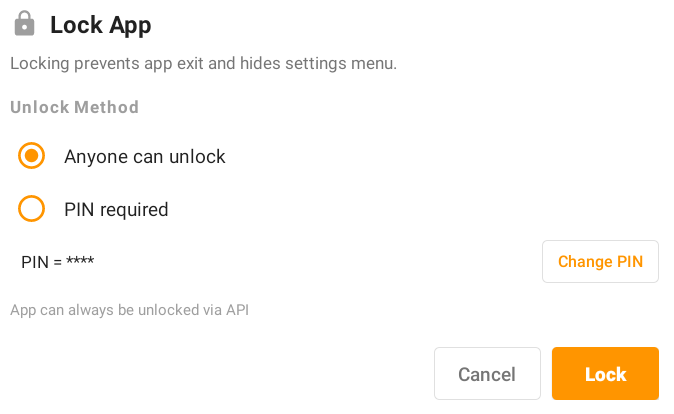
Lock your tablet with an optional PIN to prevent unintended use
Core functionality is completely free with no subscriptions
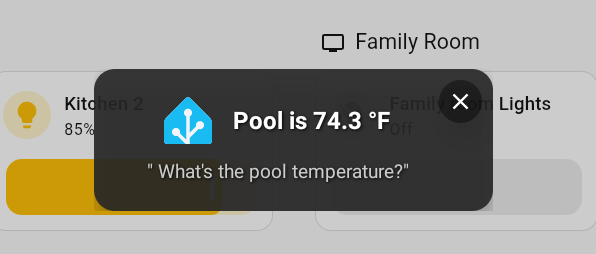
"Hey Dashie" wake word with natural language voice commands
Stream your tablet's camera as an RTSP feed and view incoming camera feeds on demand or when triggered
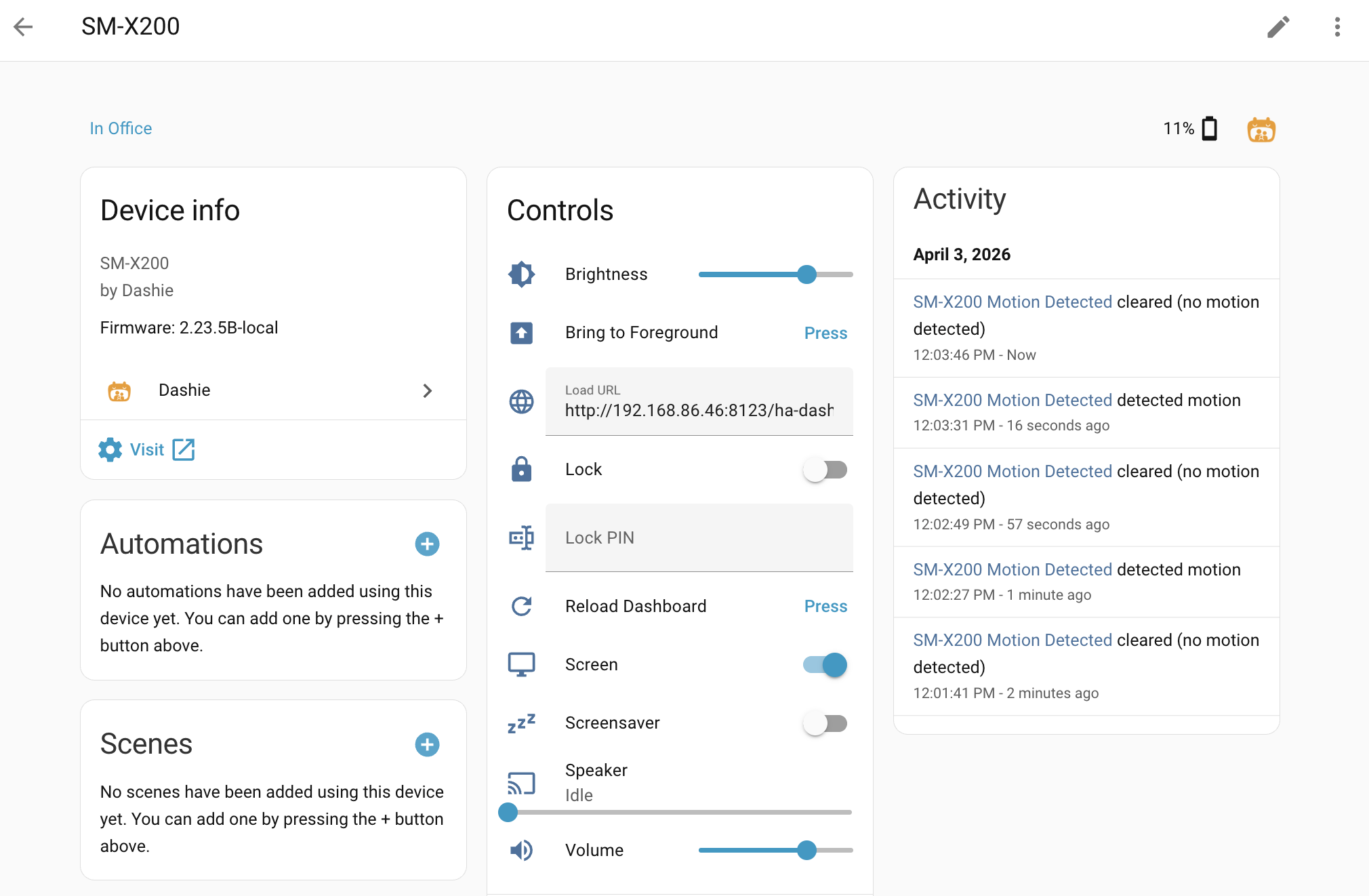
Display any dashboard with a built-in API that's backwards compatible with the Fully Kiosk integration
Manage your tablet's charging without HA automations for optimal battery longevity
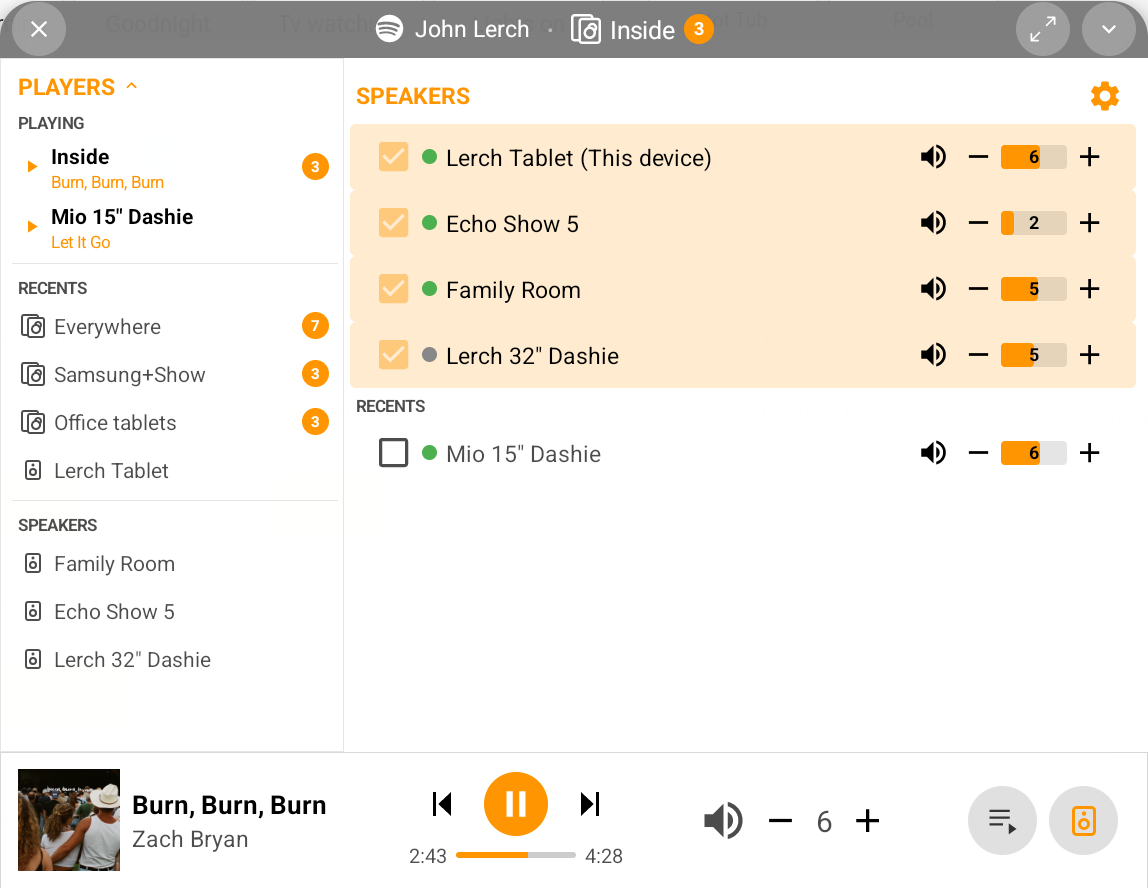
Play music across your Dashie tablets using multi-room audio with Music Assistant
Ready to host your Home Assistant dashboards on Android? Download Dashie and get going.
Download DashieGetting Started Guides:
Features Overview | Voice Control Setup | Fire Tablet Sideloading | Music Assistant SetupTap a feature to learn more about what Dashie brings to your smart home.
Photo slideshows from multiple sources with motion-activated wake
When your tablet isn't in use, the screensaver takes over with a photo slideshow, a clock overlay, and current weather. Pull photos from your self-hosted Immich library, Google Drive, Unsplash for curated backgrounds, or Home Assistant's My Media for local files.
Switch between sources on the fly, choose specific albums or folders, and let Dashie rotate through your collection automatically. Walk up and the tablet wakes instantly — Dashie can use the camera for motion or face detection so your dashboard is ready before you even touch the screen.
Screensaver setup →Voice commands with a custom wake word
Turn any tablet into a voice-controlled smart home hub. Dashie's custom-trained wake word runs entirely on-device — no cloud listening, no always-on microphone streaming. When you say "Hey Dashie," your command is processed locally using natural language understanding, then routed to Home Assistant to execute. Dashie also supports other wake words such as "Alexa" and "Hey Jarvis."
Control lights, run scenes, check the weather, set timers, and more. Dashie speaks responses back, and you can choose whether responses are read aloud, displayed on screen, or both.
Voice setup guide →Keep your tablet locked down for kiosk use
Lock Mode keeps your tablet dedicated to its dashboard. It prevents users from accidentally exiting the app, navigating to other apps, or changing settings. Protect it with an optional PIN code so only authorized users can unlock.
Combined with Android's Device Owner mode, Dashie can fully lock the tablet to a single-app kiosk experience — perfect for wall-mounted panels and shared family displays.
Lock mode guide →Multi-room audio powered by Music Assistant
Dashie integrates with Music Assistant to turn your tablets into a multi-room audio system. Play music from Spotify, YouTube Music, or your local library — and sync playback across every Dashie tablet in your home.
Control playback from the sidebar, via voice ("Hey Dashie, play jazz in the kitchen"), or through Home Assistant automations. Each tablet is a speaker, a controller, or both.
Music Assistant setup →Live camera feeds and Frigate recording playback on your dashboard
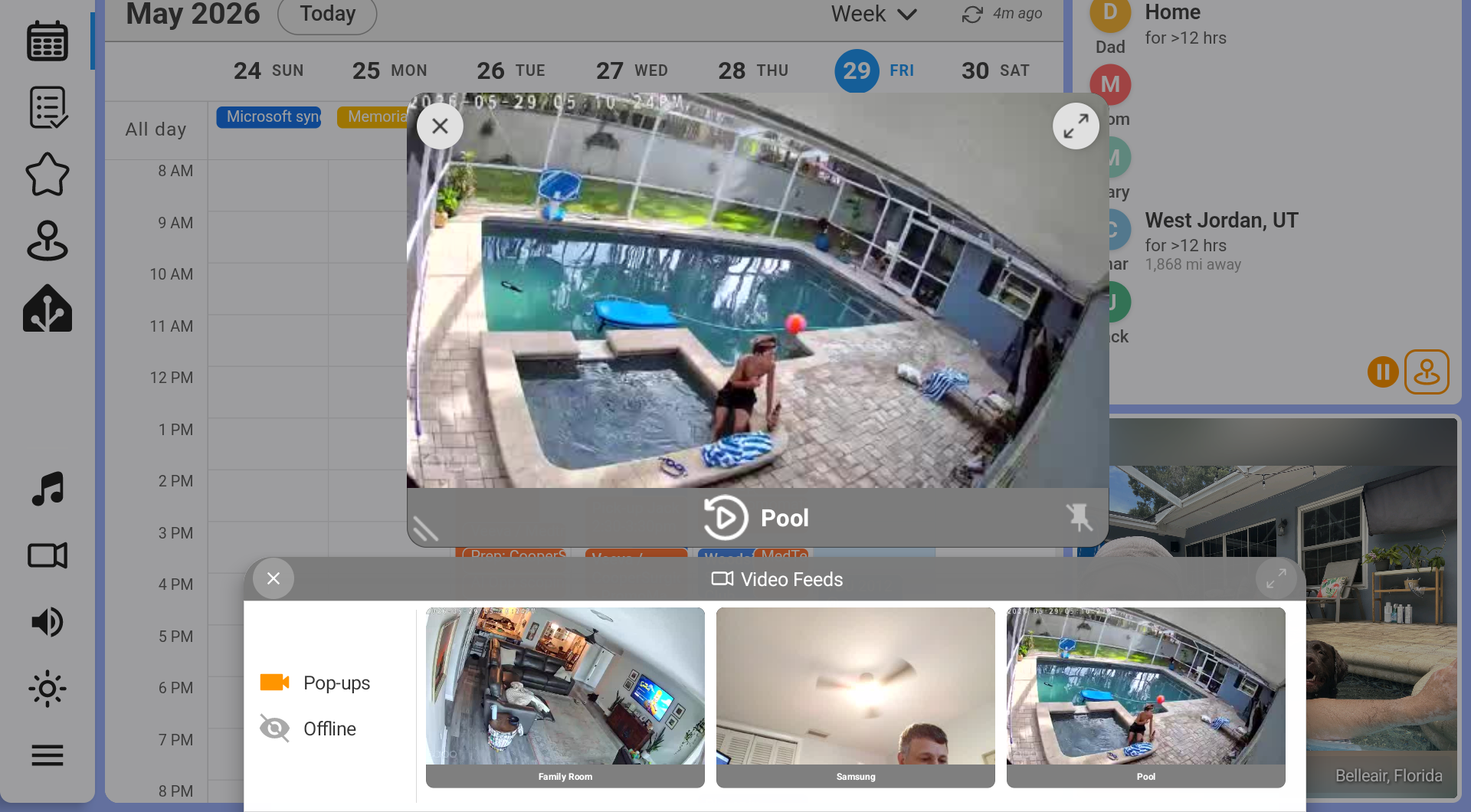
Bring your security cameras right onto the dashboard. Dashie shows live feeds from any RTSP, go2rtc, or Home Assistant camera — docked in a sidebar strip or floating over your dashboard. Have a feed pop up automatically when motion is detected or a door opens, with an optional chime, and choose how each tablet in your home reacts.
For Frigate cameras, Dashie adds a full recording timeline. Scrub back through the day, replay detected events from a thumbnail list, and jump back to live with a tap — all without leaving your dashboard. You can even turn a spare Dashie tablet into a camera the rest of your home can watch.
Video feeds setup →Built-in charge control for always-on tablets
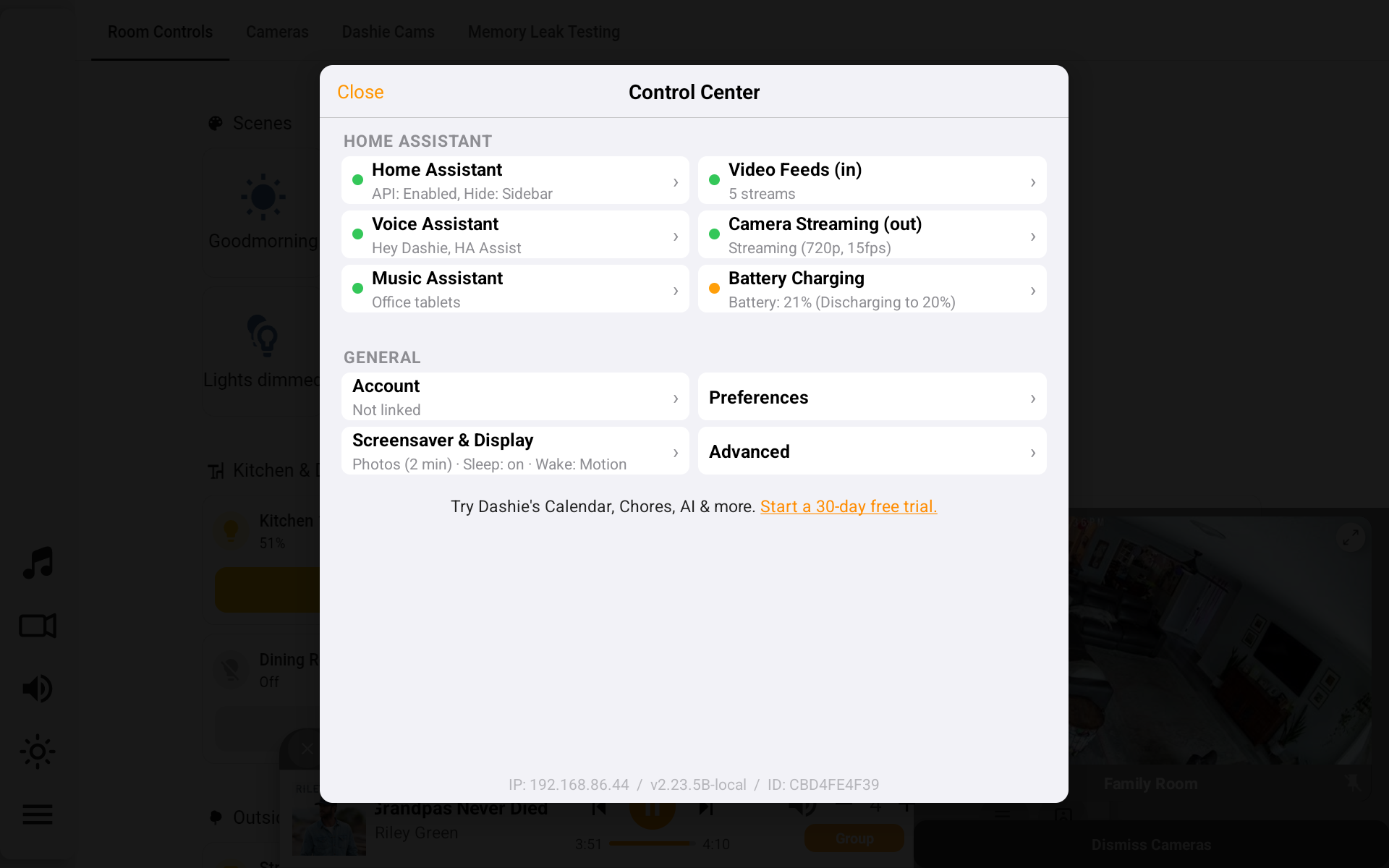
Wall-mounted tablets live on the charger 24/7, which degrades battery life fast. Dashie's built-in battery management solves this by automatically cycling the charge between configurable thresholds — no Home Assistant automations or smart plugs required.
Set your preferred charge range (e.g., 20%–80%) and Dashie handles the rest. Monitor battery health and charging status right from the Control Center.
Dashboard hosting, sidebar control, and a Fully Kiosk-compatible API
Connect Dashie to your Home Assistant instance and display any dashboard in a clean, full-screen kiosk view. Hide the HA sidebar and tab bar for a distraction-free experience, or keep them visible for quick navigation.
Dashie includes a built-in REST API that's backwards compatible with Home Assistant's Fully Kiosk Browser integration. If you're migrating from Fully Kiosk, your existing automations and scripts will work out of the box — no reconfiguration needed.
Setup guide →Ready to upgrade your smart home displays?
Download Dashie